How to Download a YouTube Thumbnail Without Losing Image Quality
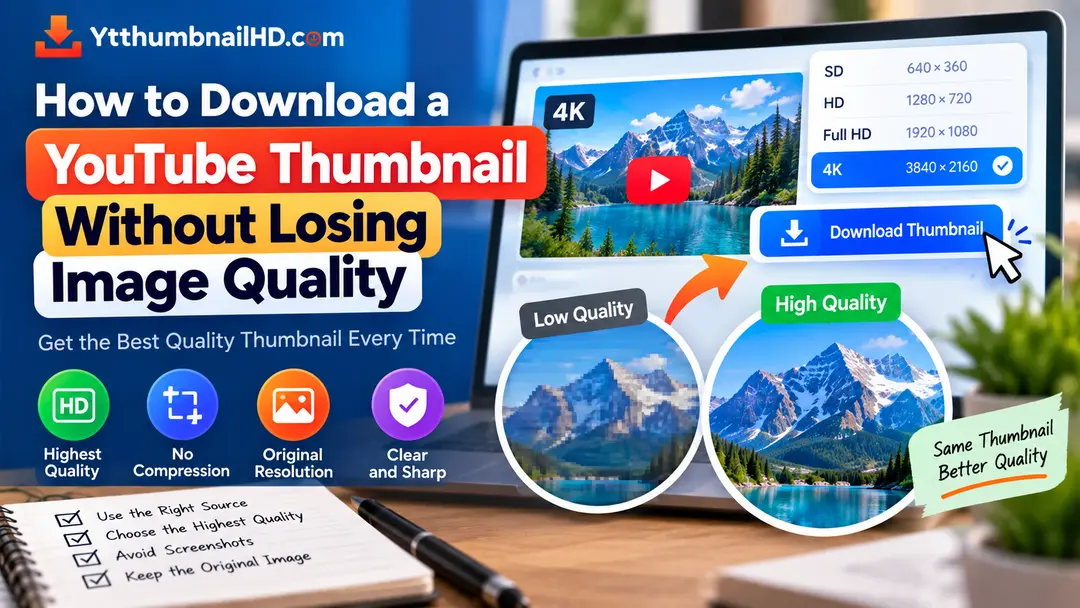
Downloading a YouTube thumbnail is usually straightforward, but getting the best possible image quality requires a little more attention. The most important step is to retrieve the highest-quality version that is actually available instead of downloading a smaller copy and enlarging it later.
Image quality can also be affected by unnecessary resizing, compression, screenshots, or repeatedly saving the same image through different applications.
In this guide, we will look at practical ways to preserve the available thumbnail quality from the moment you retrieve the image until you save or use it.
To avoid unnecessary quality loss, download the highest available thumbnail version, save the original file directly, avoid screenshots, and do not repeatedly resize or recompress the image.
1. What Does Thumbnail Quality Mean?
Image quality generally refers to how much visual detail and clarity an image contains. For thumbnails, quality can be affected by the original image dimensions, compression, scaling, and the way the image is saved.
A larger image is not automatically a better image. If a small source image is simply enlarged, the extra pixels do not contain additional original detail.
This is why the best approach is to retrieve the highest available version of the thumbnail rather than trying to increase the size afterward.
2. Download the Highest Available Version
The first and most important step is to choose the highest quality thumbnail that is actually available for the video.
Different videos may not provide exactly the same thumbnail resolution. Therefore, it is better to use a tool that identifies available thumbnail versions instead of assuming that every video has one fixed maximum size.
"Highest available quality" is different from artificially enlarging a smaller image. Upscaling cannot recreate detail that was never present in the original.
3. Do Not Use a Screenshot
Taking a screenshot of a thumbnail may seem like the quickest solution, but it is usually not the best way to preserve the original image.
A screenshot captures what is displayed on your screen, not necessarily the original thumbnail file at its available resolution.
Screen scaling, browser size, display resolution, and additional processing can all affect the resulting image.
Direct Download
Retrieves the available image file directly, making it easier to preserve its original dimensions.
Screenshot
Captures the image as it appears on your screen and may produce a smaller or altered copy.
4. Avoid Enlarging a Small Thumbnail
One of the most common misconceptions about image quality is that increasing an image's dimensions will restore missing detail.
If you download a small thumbnail and enlarge it from an image editor, the software has to create additional pixels. The resulting image may have larger dimensions, but that does not mean it contains the same level of original detail as a genuinely higher-resolution source.
Retrieve the largest suitable thumbnail that is actually available before considering any resizing.
5. Save the Original Image
Once you have downloaded the thumbnail, keep the original file whenever possible.
If you open, edit, resize, and export the image several times, you may introduce unnecessary changes to the original file.
Download
Retrieve the highest available thumbnail version.
Save Original
Keep the downloaded file unchanged as your original copy.
Make a Copy
Create a duplicate if you need to edit or resize the image.
Export Carefully
Use appropriate settings when creating the final version for another purpose.
6. Avoid Unnecessary Compression
Image compression can reduce file size, but repeated or aggressive compression can affect visual quality.
This matters particularly when you take an already compressed image, edit it, export it again, and then repeat the process several times.
If you are simply saving a thumbnail for reference, there is usually no reason to repeatedly process the downloaded file.
7. Check the Image Dimensions
If image quality is important for your intended use, check the dimensions of the downloaded file.
On Windows, you can usually view an image's properties to see its dimensions. Image editors and other image applications can also display the width and height.
Checking the dimensions can help you confirm whether you downloaded the version you expected rather than accidentally saving a smaller preview.
8. Use a Reliable Download Method
The way you retrieve the image matters. If a tool only provides a small preview image, downloading that preview will not give you the best available version.
A dedicated thumbnail downloader should identify the video's available thumbnail image and provide the appropriate quality options.
With YTThumbnailHD, you can paste the YouTube video URL and retrieve the available thumbnail rather than taking a screenshot from the YouTube page.
Direct image retrieval is preferable to capturing a thumbnail from your screen when your goal is to preserve the available image dimensions.
9. What If You Need to Edit the Thumbnail?
If you need to add text, crop the image, change its composition, or make another modification, start with the highest-quality source available.
Make your edits on a copy and keep the original download untouched. This gives you a clean source that you can return to if you later want to create another version.
Keep Original
Store the downloaded image separately.
Create Copy
Duplicate the image before editing it.
Edit
Make your required changes on the duplicate.
Export
Save the edited version using appropriate image settings for its intended purpose.
10. Can You Improve an Already Low-Quality Image?
You can resize, sharpen, or use image enhancement techniques on a low-resolution thumbnail, but there is a limit to how much genuine detail can be recovered.
Image enhancement tools may change how an image looks, but they cannot guarantee restoration of details that were never present in the source.
Therefore, the best quality strategy is to start with the best available source instead of relying on enlargement afterward.
What Is the Best YouTube Thumbnail Resolution?
For regular YouTube videos, YouTube currently recommends a 16:9 custom thumbnail at 3840 × 2160 pixels, with a minimum width of 640 pixels.
However, when downloading an existing video's thumbnail, you should focus on the highest version that is actually available for that video rather than assuming that every thumbnail can be retrieved at the same resolution.
For the complete technical information, see our YouTube thumbnail size and dimensions guide .
11. Image Quality Checklist
Use this quick checklist whenever you want to download a YouTube thumbnail while preserving the available quality.
- Use the original YouTube video URL.
- Choose the highest available thumbnail version.
- Avoid taking a screenshot.
- Do not enlarge a small image expecting new detail.
- Save the original downloaded file.
- Avoid unnecessary compression and repeated exports.
- Check the image dimensions when necessary.
- Edit a copy instead of overwriting the original.
Download a YouTube Thumbnail in the Available Quality
Enter a YouTube video URL into YTThumbnailHD and retrieve the available thumbnail image without relying on a screenshot.
Download YouTube ThumbnailFrequently Asked Questions
Download the highest available thumbnail version directly instead of taking a screenshot or downloading a smaller preview. Keep the original file and avoid unnecessary resizing or compression.
A screenshot captures the image as it appears on your screen rather than retrieving the original available image file. It may therefore produce a smaller or less suitable copy.
You can enlarge an image using an image editor or enhancement tool, but increasing its dimensions does not automatically recreate detail that was missing from the original source.
Yes. Keeping the original gives you an unchanged source if you later need to create an edited, resized, or differently exported version.
YouTube currently recommends 3840 × 2160 pixels for regular custom video thumbnails, but an existing video's downloadable thumbnail may not always be available at that exact resolution.