YouTube Thumbnail Ideas for Different Types of Videos
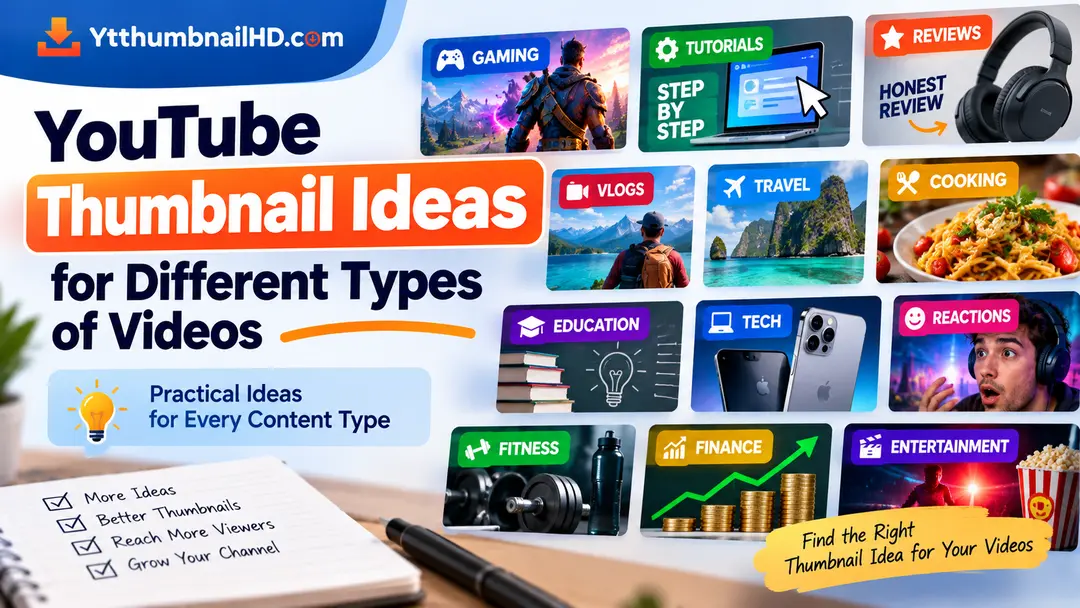
There is no single thumbnail idea that works perfectly for every YouTube video. A gaming video may need a very different visual approach from a cooking tutorial, a product review, or a travel vlog.
The best starting point is to look at the central idea of your video and find a visual that represents it clearly. From there, you can choose the subject, composition, text, and supporting elements that fit the content.
This guide provides practical thumbnail ideas for several popular YouTube video categories, so you can find a starting concept instead of creating a completely random design.
Do not copy an idea simply because it works for another channel. Use these examples as starting points and adapt them to your own video's subject, audience, and story.
1. Tutorial and How-To Videos
Tutorial videos usually promise to help viewers solve a problem or accomplish a specific task. Your thumbnail can visually reinforce that promise by showing the problem, tool, process, or final result.
Show the Result
Feature the finished result that viewers will learn how to achieve.
Show the Problem
Highlight the issue that the tutorial explains how to solve.
Show the Tool
Make the software, device, website, or tool central to the visual when it is important to the tutorial.
Before and After
A clear transformation can work well when the tutorial is about improving or changing something.
2. Gaming Videos
Gaming thumbnails can focus on a memorable character, challenge, achievement, surprising moment, or important part of the game.
Instead of trying to show an entire game scene, identify the one moment or element that best represents the video.
- Highlight an important character or object.
- Show a major challenge or achievement.
- Focus on a recognizable game moment.
- Use short text only when it adds useful context.
- Avoid filling the image with unrelated game elements.
3. Product Review Videos
For a product review, the product itself will often be the most useful visual starting point.
You can build the thumbnail around the product and use a secondary element to communicate the main angle of the review.
Product Focus
Place the product prominently and keep supporting elements simple.
Key Feature
Highlight the specific feature or characteristic that makes the review interesting.
Comparison
Show two products when the video is genuinely comparing them.
Real-World Result
Use a relevant result or use case when it is the central subject of the review.
4. Tech Videos
Technology videos can cover everything from smartphones and computers to software, accessories, applications, and new technology.
Choose the visual based on the video's actual subject. A product-focused image may work for a device review, while a screen or interface may be more appropriate for a software tutorial.
Device Video
Make the main device easy to recognize.
Software Video
Show the relevant interface or result.
Comparison
Visually separate the products or technologies being compared.
News or Update
Focus on the actual subject of the update rather than unrelated technology imagery.
5. Vlogs
Vlogs are often built around experiences, people, locations, or events. A strong thumbnail can capture the most interesting or representative moment from the story.
Consider using a memorable location, facial expression, activity, or important moment rather than simply using a random frame from the video.
Ask yourself which single moment best communicates the experience viewers are going to see.
6. Travel Videos
Travel videos offer many possible visual directions: destinations, landmarks, landscapes, activities, food, transportation, or memorable moments.
Destination Focus
Use a recognizable location when the destination itself is the main attraction.
Experience Focus
Highlight the activity or experience that makes the trip interesting.
Landmark Focus
Feature a recognizable landmark when it is central to the video.
Unexpected Moment
Use a genuine unusual or memorable moment when it represents the story accurately.
7. Cooking and Recipe Videos
Food is naturally visual, which gives cooking channels several possible thumbnail directions.
The finished dish can often be the main subject. You can also show an important preparation stage when the process itself is central to the video.
- Show the finished dish clearly.
- Highlight an important ingredient when relevant.
- Show a useful before-and-after transformation.
- Keep the food visually recognizable.
- Avoid filling the thumbnail with too many ingredients or unrelated objects.
8. Educational Videos
Educational thumbnails need to communicate a concept without trying to explain the entire lesson.
Start with the central question, concept, person, object, or subject discussed in the video.
Concept
Use a simple visual representation of the main concept.
Question
Build the visual around the question the video answers.
Person
Use a relevant person when they are central to the subject.
Object
Feature the object being explained or discussed.
9. Reaction Videos
In a reaction video, the reaction itself can be an important visual element, but the thumbnail should still provide context about what caused the reaction.
Depending on the content, you might combine a recognizable subject with the creator's genuine reaction or another relevant visual.
Avoid creating a reaction that promises something the actual video does not contain. The thumbnail should represent the real content.
10. Fitness Videos
Fitness videos can cover workouts, exercises, routines, transformations, equipment, nutrition, and many other subjects.
Choose the thumbnail concept based on the video's actual purpose rather than trying to represent every aspect of fitness at once.
Workout
Show the exercise or activity that represents the workout.
Exercise Guide
Highlight the specific exercise being explained.
Equipment
Feature the relevant equipment when it is central to the video.
Progress
Use a genuine progress comparison when the video is actually about that transformation.
11. Money and Finance Videos
Finance videos can cover saving, investing, budgeting, business, personal finance, markets, and many other topics.
Keep the thumbnail focused on the specific subject of the video instead of using generic money imagery for every upload.
- Highlight the main financial concept.
- Use a relevant chart or visual when appropriate.
- Make the subject understandable without excessive numbers or text.
- Avoid making unrealistic financial promises.
- Keep the visual accurate to the actual discussion.
12. Entertainment Videos
Entertainment covers a very wide range of content, so the thumbnail idea should be built around the specific story, event, person, or subject of the video.
Main Person
Feature the relevant person when they are the central subject.
Important Moment
Show a genuine moment that represents the video's main story.
Event
Focus on the event when the event itself is the reason for the video.
Topic
Use a relevant visual representation of the actual entertainment topic.
13. Storytelling and Documentary Videos
Storytelling and documentary content often benefits from a thumbnail that introduces the central subject or question without attempting to summarize the entire story.
A person, location, object, historical photograph, event, or other relevant visual can provide the foundation for the design.
Focus on the story's strongest visual clue rather than trying to show every part of the story.
14. How to Choose an Idea From These Examples
These ideas are starting points, not fixed templates. Before creating your thumbnail, identify the most important part of your particular video.
Identify the Topic
What is the video actually about?
Find the Strongest Visual
Which person, object, result, moment, or location best represents it?
Remove the Unnecessary
Keep supporting elements only when they add useful context.
Check the Final Idea
Make sure the thumbnail accurately represents what viewers will find in the video.
15. Thumbnail Idea Checklist
Before turning an idea into your final thumbnail, ask yourself these questions.
- Does the idea represent the actual video?
- Is there one clear visual focus?
- Can viewers understand the subject quickly?
- Does the chosen visual fit the type of content?
- Is any text short and useful?
- Does the background support the main subject?
- Does the thumbnail remain understandable at a small size?
- Does the thumbnail work naturally with the title?
- Are you using the idea as inspiration rather than copying another creator?
One Thumbnail Style Does Not Fit Every Video
If you publish different types of content, your thumbnail style can change according to the subject. A cooking video does not need to use the same visual concept as a gaming video, and an educational video may require a completely different approach from a travel vlog.
What should remain consistent is clarity. Viewers should be able to understand the central idea and recognize that the thumbnail represents the video accurately.
Need to Download a YouTube Thumbnail?
If you want to save a thumbnail from an existing YouTube video for an appropriate personal or reference use, you can use YTThumbnailHD to retrieve the available thumbnail image.
Download YouTube ThumbnailFrequently Asked Questions
A good idea clearly represents the video's main subject. Depending on the content, this could be a person, product, result, location, important moment, or another visual that viewers can understand quickly.
Not necessarily. Different types of videos have different subjects and viewer expectations. A gaming thumbnail may focus on a game moment, while a tutorial may focus on a result, tool, or problem being solved.
You can use them as starting points, but your final thumbnail should be adapted to your own video. Avoid copying another creator's complete design and focus on the idea behind the example.
No. Some thumbnail concepts can communicate the video's subject effectively through imagery alone. Add text when it provides useful context that the visual does not communicate clearly.
Compare how clearly each idea represents the video's main subject, how easy it is to understand at a small size, and how naturally it works with the title. Eligible YouTube creators can also use YouTube's testing tools to compare different thumbnail and title combinations.