YouTube Shorts Thumbnail: HD Size, Dimensions & How to Download
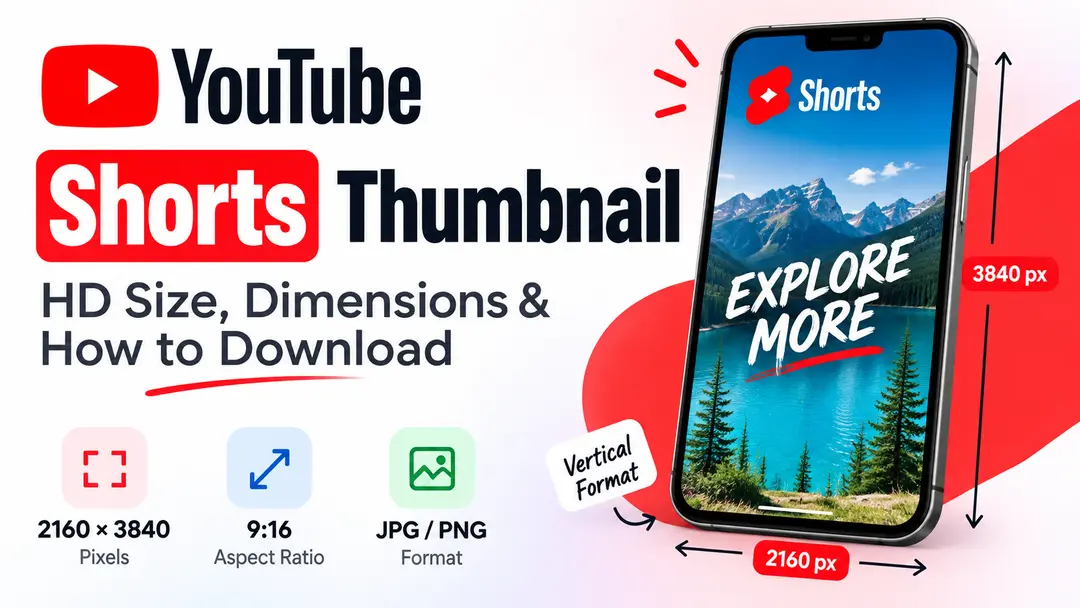
YouTube Shorts use a vertical video format, so their thumbnails need a different shape from standard YouTube video thumbnails. If you are creating, saving, or studying Shorts thumbnails, using the correct dimensions helps keep the image properly framed.
In this guide, we explain the recommended Shorts thumbnail size, the 9:16 aspect ratio, image quality, practical design tips, and how you can download a thumbnail from a public YouTube Short.
2160 × 3840 px
Recommended vertical resolution for Shorts thumbnails.
What Is a YouTube Shorts Thumbnail?
A YouTube Shorts thumbnail is the visual preview associated with a Short. It gives viewers a quick visual indication of the content before they interact with it.
Because Shorts are designed around a vertical viewing experience, their thumbnail design needs to work well in a tall, narrow composition rather than the widescreen layout normally used for standard YouTube videos.
What Is the Recommended Shorts Thumbnail Size?
YouTube currently recommends a resolution of 2160 × 3840 pixels for Shorts thumbnails. This gives the image a vertical 9:16 shape.
YouTube also recommends that custom thumbnails be uploaded in common image formats such as JPG or PNG. The image should be large enough to retain useful detail while remaining within the applicable upload limits.
| Specification | Shorts Recommendation |
|---|---|
| Resolution | 2160 × 3840 px |
| Aspect ratio | 9:16 |
| Orientation | Vertical |
| Common formats | JPG / PNG |
What Aspect Ratio Does a Shorts Thumbnail Use?
The recommended aspect ratio for a YouTube Shorts thumbnail is 9:16. This is the same vertical shape commonly associated with Shorts content.
Designed for the vertical Shorts experience.
Designing directly on a 9:16 canvas helps you control the placement of text, faces, logos, and other important elements before exporting the image.
Why Does Thumbnail Resolution Matter?
Resolution affects how much visual detail is available in an image. A larger source can give you more flexibility when creating or inspecting a thumbnail.
Useful when text, faces, graphics, and other small details need to remain clear.
Enlarging a small image can make edges and text appear soft or blurry.
Resolution alone does not make a thumbnail effective. The visual hierarchy, contrast, subject, and readability still matter.
How to Design a YouTube Shorts Thumbnail
A vertical thumbnail gives you less horizontal space than a standard landscape thumbnail. That makes composition especially important.
Start With a 9:16 Canvas
Create your design using a vertical canvas so the composition matches the intended Shorts format.
Choose One Main Subject
Make the primary person, object, or idea easy to recognize instead of filling the frame with too many competing elements.
Keep Text Short
Use only the words needed to communicate the main idea. Large readable text works better than long sentences.
Use Strong Contrast
Make sure text and important visual elements remain easy to distinguish from the background.
How to Keep Important Elements Visible
A Shorts interface can contain controls and other visual elements around the video. For that reason, avoid placing your most important text or branding directly against the edges of the design.
- Keep the main subject away from extreme edges.
- Leave enough breathing room around important text.
- Avoid placing small details in corners.
- Check the thumbnail at a smaller viewing size.
- Make sure the main idea remains understandable without zooming in.
How to Download a YouTube Shorts Thumbnail
If you want to save the thumbnail associated with a public YouTube Short, you can use an online thumbnail downloader instead of taking a screenshot.
The exact thumbnail available can depend on the video and the image resources associated with it. When several image qualities are available, choose the one that best fits your intended use.
How to Save a Shorts Thumbnail on Mobile
You can use a browser-based thumbnail downloader from a phone or tablet. No dedicated image-editing application is required for the basic downloading process.
Quick mobile workflow
Open the Short → Copy its link → Open YTThumbnailHD → Paste the link → Select the available thumbnail → Save the image.
How to Get the Best Available Thumbnail Quality
If your goal is to inspect or save a thumbnail at the best available quality, avoid methods that unnecessarily reduce the original image.
Common Shorts Thumbnail Mistakes
Vertical designs can become difficult to read when too many elements are squeezed into a narrow frame. These are some common problems worth avoiding.
- Using a landscape canvas: A 16:9 design does not match the recommended vertical Shorts thumbnail format.
- Making text too small: Small text can become difficult to read when the thumbnail appears at a reduced size.
- Filling every part of the frame: Too many elements can make the main subject difficult to identify.
- Placing important details at the edges: Interface elements can compete with text or visual details placed too close to the edges.
- Downloading only a screenshot: A screenshot may contain interface elements and may not preserve the original thumbnail dimensions.
Use Downloaded Shorts Thumbnails Responsibly
A thumbnail can be downloaded for personal reference, research, or other legitimate purposes, but downloading an image does not automatically give you ownership of it.
If you plan to republish, modify, or use someone else's thumbnail commercially, check the applicable copyright, permission, and licensing requirements first.
Download a YouTube Shorts Thumbnail
Paste the URL of a public YouTube Short into YTThumbnailHD and check the available thumbnail image.
Download Shorts ThumbnailFrequently Asked Questions
YouTube currently recommends 2160 × 3840 pixels for Shorts thumbnails, using a 9:16 aspect ratio.
The recommended aspect ratio for YouTube Shorts thumbnails is 9:16, which is a vertical format.
Yes. You can use a YouTube thumbnail downloader to retrieve the thumbnail associated with a public Short and save the available image.
Yes. A browser-based thumbnail downloader can be used from a smartphone or tablet.
YouTube recommends common image formats such as JPG and PNG for custom thumbnails.
For Shorts, YouTube recommends a 9:16 aspect ratio. A vertical design is therefore the appropriate format when creating a custom Shorts thumbnail.