YouTube Thumbnail Downloader: How to Download HD Thumbnails From Any Video
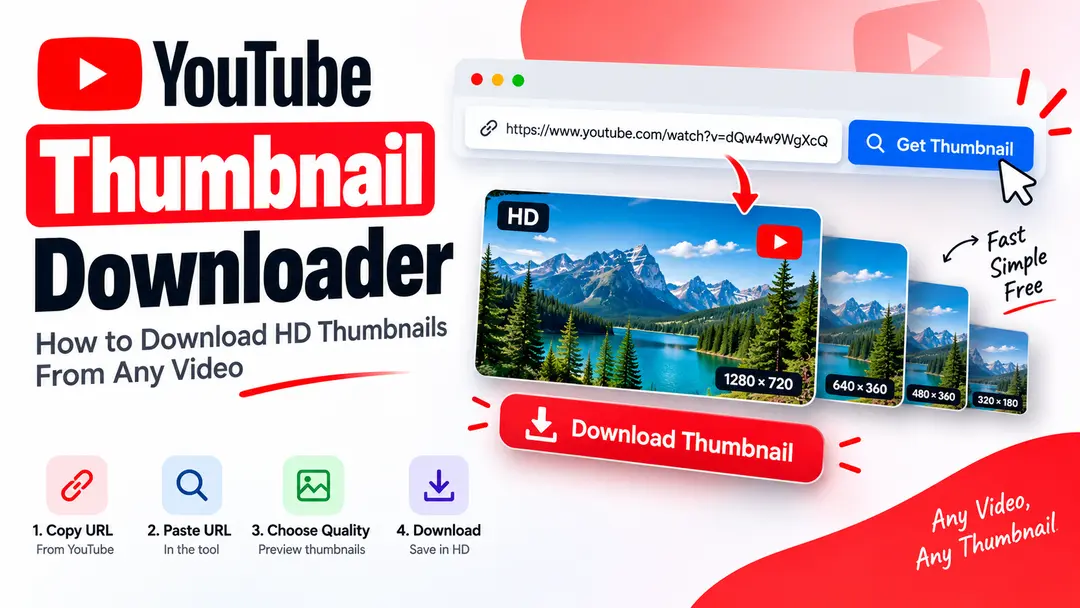
YouTube thumbnails are designed to give viewers a quick preview of a video before they decide to watch it. Sometimes you may want to save that thumbnail for reference, research, design inspiration, or other legitimate purposes.
A YouTube thumbnail downloader makes this process easier by extracting the thumbnail associated with a public YouTube video and allowing you to view or save the available image quality. In this guide, we explain how the process works and how to download a thumbnail without unnecessary steps.
What Is a YouTube Thumbnail Downloader?
A YouTube thumbnail downloader is an online tool that helps you retrieve the thumbnail image associated with a YouTube video. Instead of searching through the page source or trying to find the image manually, the tool can identify the video and display its available thumbnail.
The process is usually simple: you provide a YouTube video URL, the tool identifies the video, and the available thumbnail image can then be viewed or saved.
How Does a YouTube Thumbnail Downloader Work?
A downloader starts by identifying the video from the URL you provide. A valid YouTube video contains an identifier that can be used to locate its associated thumbnail resources.
Once the video is recognized, the downloader can check the available thumbnail images and present them in a convenient format.
Identify the Video
The tool reads the supported YouTube URL and identifies the video associated with it.
Find the Thumbnail
The downloader retrieves the thumbnail resources associated with the video.
Display the Image
Available thumbnail images can be displayed so you can check the result before saving it.
Save the Thumbnail
Choose the available image you need and save it to your device.
How to Download a YouTube Thumbnail
You do not need complicated software to download a thumbnail from a public YouTube video. An online thumbnail downloader can handle the basic process in a few steps.
Copy the YouTube Video URL
Open the YouTube video and copy its URL from the browser or YouTube app.
Open the Thumbnail Downloader
Open YTThumbnailHD and locate the thumbnail downloader input field.
Paste the Video URL
Paste the copied YouTube URL into the downloader and start the thumbnail lookup.
Choose the Thumbnail
Review the available thumbnail images and choose the quality that best suits your needs.
Save the Image
Open or download the selected thumbnail and save it to your device.
Which YouTube Links Can You Use?
YouTube videos can be shared using different URL formats. A useful thumbnail downloader should recognize commonly used YouTube links instead of requiring one specific format.
| URL Type | Example Format |
|---|---|
| Standard Video | youtube.com/watch?v=... |
| Short URL | youtu.be/... |
| Shorts | youtube.com/shorts/... |
| Embed | youtube.com/embed/... |
| Mobile URL | m.youtube.com/... |
If a URL contains an unsupported format or does not identify a valid video, the downloader may not be able to retrieve its thumbnail.
What Thumbnail Quality Can You Download?
A YouTube video can have multiple thumbnail image resolutions. The exact images available can depend on the video and the thumbnail resources provided by YouTube.
When multiple qualities are available, choosing a larger image can be useful if you need more detail for viewing or design reference.
Useful when you want to inspect the thumbnail at a larger size or use it as a visual reference.
Useful when image dimensions or file size are less important.
What Types of YouTube Thumbnails Are Available?
YouTube may use different thumbnail images for different parts of its platform. The thumbnail associated with a video can be available in more than one resolution.
| Thumbnail Option | Typical Purpose |
|---|---|
| High Resolution | Larger viewing and design reference |
| Standard Resolution | General viewing |
| Medium Resolution | Smaller previews |
| Small Resolution | Compact image previews |
How to Download YouTube Thumbnails on Mobile
You can use an online thumbnail downloader from a smartphone or tablet without installing specialized image software.
The basic process is the same as on desktop. Copy the YouTube video link, open the downloader in your mobile browser, paste the URL, and select the thumbnail you want to save.
How to Download YouTube Thumbnails on Desktop
On a desktop computer, you can copy the video URL directly from your browser and paste it into the thumbnail downloader.
A larger screen can make it easier to compare available thumbnail images before saving the one you need.
Copy the YouTube URL from your browser and paste it into the downloader.
Select the available thumbnail image that matches your requirements.
How to Keep Thumbnail Quality High
If image quality matters, avoid unnecessary editing or repeated compression after downloading the thumbnail.
- Choose the highest available quality when appropriate.
- Avoid taking screenshots when the original thumbnail can be retrieved directly.
- Avoid repeatedly converting and recompressing the image.
- Keep the original downloaded file if you may need it later.
- Check the image dimensions before using it in another design.
Common YouTube Thumbnail Downloading Mistakes
Downloading a thumbnail is generally simple, but a few common mistakes can lead to poor results.
- Using a screenshot: Screenshots can reduce the available image quality and may include browser or interface elements.
- Choosing a low-resolution image: If a higher-quality thumbnail is available, a smaller version may not be suitable for larger viewing.
- Using an incorrect URL: Make sure the copied link points to the intended YouTube video.
- Recompressing the image: Repeated image compression can reduce clarity, especially around text and sharp edges.
- Ignoring usage rights: Downloading an image does not automatically give you ownership or permission to reuse it. Check the applicable rights before using someone else's thumbnail publicly.
Why Download YouTube Thumbnails?
There are several legitimate reasons someone may want to save a YouTube thumbnail. The important thing is to use downloaded images responsibly and respect the creator's rights.
Save examples for researching layouts, typography, composition, and visual presentation.
Store thumbnail examples when planning your own video design or content strategy.
Save useful references in an organized collection for future research or inspiration.
Compare different thumbnail approaches and identify patterns in visual presentation.
Get a YouTube Thumbnail in HD
Paste a public YouTube video URL into YTThumbnailHD to find and view the available thumbnail image. Choose the available quality that works best for your needs.
Download YouTube ThumbnailFrequently Asked Questions
Copy the YouTube video URL, paste it into a thumbnail downloader such as YTThumbnailHD, view the available image, and save the thumbnail you need.
If a higher-resolution thumbnail is available for the video, a thumbnail downloader can display that image for you to view or save.
Yes. You can use a web-based YouTube thumbnail downloader from a smartphone or tablet browser.
No. An online thumbnail downloader can handle the basic process directly in your web browser.
Not necessarily. Downloading an image does not automatically give you permission to republish or commercially reuse it. Check the applicable rights and permissions before using someone else's thumbnail.
Saving the original available image does not require taking a screenshot or repeatedly recompressing it. Choosing the highest available quality can help retain more image detail.